Debugging a deployment
We ran a container just to tell Nginx an IP address had changed
November 27, 2026
On October 5, replacing the Vowframes backend left Nginx pointing at a dead IP address. We already ran a container whose entire job was to catch that event and reload Nginx. The value it read from the Docker event was <no value>.
The helper was looking for a label called com.docker.compose.service. Those dots belong to the label's name. The template treated them as steps through a nested object. It never got the word backend, so its loop kept waiting for an event Docker had already delivered.
Looking up the literal key fixed the watcher. We eventually deleted the watcher altogether. To see why, follow a request for /api/health/ across a deploy.
Two answers for the same name
Vowframes runs its application containers on a Docker Compose network. From the web container, the API lives at backend:8000. Compose can replace the container behind that name. Its successor joins the network as backend and can receive a different IP address. Docker expects clients to look up the name again and reconnect. Docker Compose networking
Here was the relevant part of our old Nginx configuration:
upstream backend_upstream {
    server backend:8000;
}
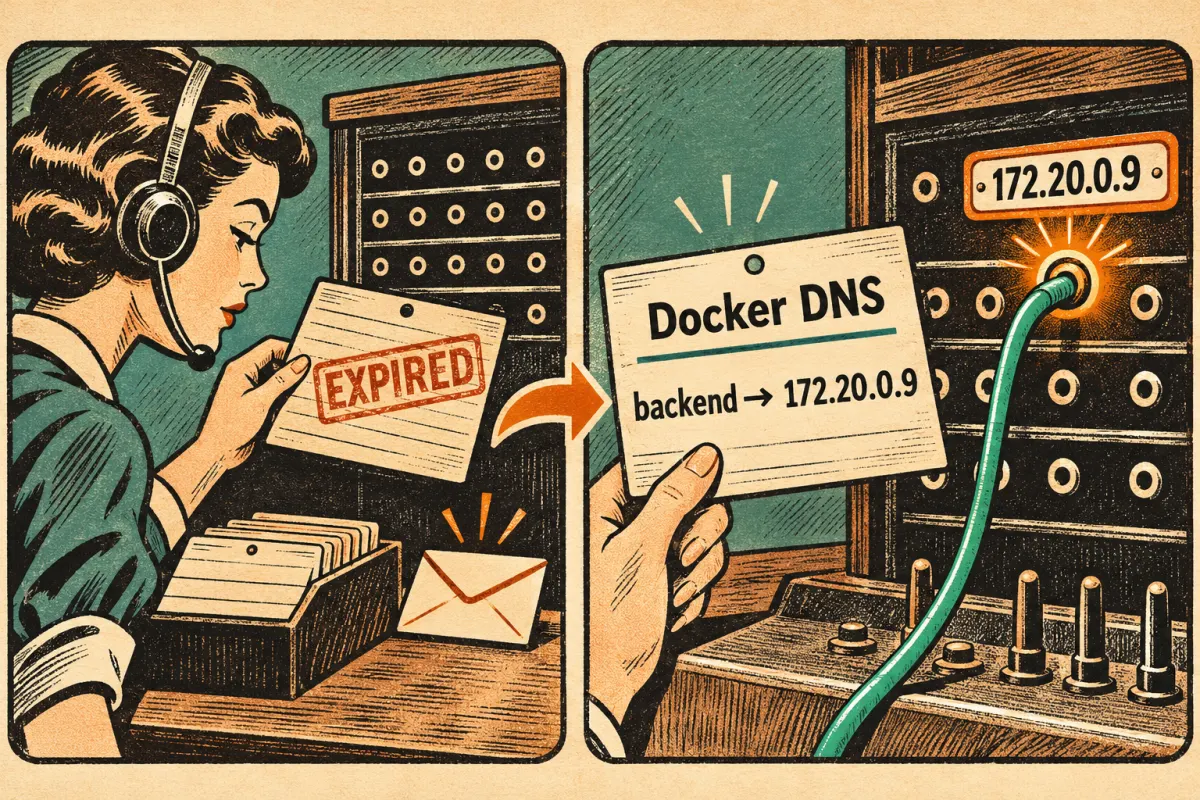
Nginx looked up backend when it loaded that configuration. Suppose Docker gave it 172.20.0.4, then assigned 172.20.0.9 to the replacement. A fresh lookup from the web container would give you .9. A request for /api/health/ through Nginx would still go to .4 and could return 502. Both observations make sense once you know when each lookup happened.

That explains why reloading the very same configuration fixed the problem. Nginx asked Docker for the address again. The helper automated that one lookup in a roundabout way: it listened for container starts, found the web container and ran nginx -s reload inside it. For that privilege, we had given it access to the host's Docker socket.
When Nginx looks up the backend
Docker already provided a DNS resolver on our container network. We changed the proxy to use it. Here's the backend part, with the other routes and headers omitted:
# In the http context
resolver 127.0.0.11 valid=10s ipv6=off;
resolver_timeout 2s;

server {
    set $backend_origin backend:8000;

    location /api/ {
        proxy_pass http://$backend_origin;
    }
}
The variable changes when Nginx needs an address. As it handles a request, it evaluates $backend_origin. For this hostname, it can use a cached DNS answer for ten seconds. Once that answer expires, the next request triggers a lookup. An idle proxy can sit through several deploys without having to hear about any of them. The two-second resolver timeout limits how long Nginx waits for a DNS answer. Nginx resolver reference
One character worth checking in review is the end of the proxy_pass line. It ends at the variable. With no URI on that directive, our health request keeps its /api/health/ path. Appending a slash supplies a URI of /. With a variable in this form, Nginx can pass that slash upstream in place of the original path. You'd reach the right container and ask it the wrong question. Nginx proxy_pass reference
A deploy with Nginx left running
A successful health request immediately after reloading Nginx proves very little here. Both configurations can pass it. The useful check starts with a successful request before the backend moves. Note the backend's IP, recreate it, and confirm the replacement got another address. Leave Nginx running. Once the backend is ready and the cache interval has elapsed, request /api/health/ through the same proxy again. If Docker reused the address, repeat the check with a different one. Otherwise the old configuration could pass by luck.
There's still a window in which a request can reach the old IP and return a 502. Its length depends on how much life the cached answer had left. The application can also take time to start. The ten seconds only bounds the lifetime of a cached address.
We made the same change for the frontend and removed the reloader's Compose service. On the first rollout we also had to remove the old helper container: deleting its declaration from a file didn't stop the copy already running. On subsequent backend replacements, the web proxy could find its way back through the same name it had used all along.